
The official setup guide for VTP8 has been released. Download it here:
Vista Transformation Pack 8 Classic Setup Guide pdfCheck out
Vista Transformation Pack 8 here.

With these setup guides, I decided to try out my luck with VTP 8. Here's my original Win XP desktop (with WB skin, Styler Toolbar).

When you start the installation, you get an installer “welcome speech” on an Aurora background… Nothing much here except that you need to uncheck WindowsX default page setting unless you want your IE homepage be taken over by
WindowsXlive.net
After that you will be asked whether you want to install in Express mode or Classic mode… express mode meaning… the install-all-options-&-settings-behind-your-back mode. I prefer using the Classic mode which allows you to fine tune what you want to install. I would also recommend not to transform Windows System files - since once changed, you’ll need to reinstall Windows to get those original files back!


I’ve tried to choose all options that minimise system resource hacking & maximise the Visual effects.

For the 3rd party applications, they are totally optional & install them ONLY if you have enough memory. I would recommend TrueTransparency (if you do not have WindowBlinds) & Styler toolbar (you’ll need to download Styler TB separately). ViOrb will make your Start button look like an orb but it has been reported to conflict with games, so don’t install it. You won’t need Thoosje’s Sidebar if you want to install the
ported Windows Sidebar. ViStart will add a working search/run bar on your Start Menu, but I prefer keeping my Programs menu as it is. WinFlip3D & VisualTooltip have been having problems running – mostly the transparency doesn’t work & I get black backgrounds instead (I had already tried them before).

Time to transform. :P
Oops… The installer crashed on 94%!
I restarted & tried running it again, but alas, again it crashed. I knew there wasn’t problem with Kaspersky since I had turned it off, nor with my graphics card (I don’t have Intel graphics). The VTP Welcome Centre wouldn’t work either… it also crashed when I tried to install from within. & it’s beyond my nerves to try it on Safe Mode.
Fortunately, I didn’t get any BSOD, nor did VTP 8 get time to really ‘transform’ my XP. Only the cursors, the sounds, the logon screen, the Aero WB skin & TrueTransparency had been installed. There were no icons set, nor any other taskbar hacks…
So here it is…

The WB Aero skin is good with those ‘real’ glass effects but I still prefer Moonflower… I’m using the Vista Ultimate IconPackager icon set (which was installed before VTP 8) &… so nothing else has changed.
The Verdict: If you want your computer to resemble Vista with Aero, transparency/translunacy, Vista sounds, cursors, icons & stuff… then go & get Windows Vista!
PS: Still determined not to install Vista? Check this instead!
Still banging your head against the wall?

Here’s an AWESOME WMP11 hack to try out…
link.
No, it won’t make your WMP11 become transparent… true transparency is impossible on Windows XP, but that’s the closest thing you can get to an Aero enabled WMP11.

You can use the colour chooser to single out your favourite Aero colour!
Instructions:
- You’ll need the latest version of WMP11. Get it
here.
- If you want to change the WMP11 icon, don’t try to overwrite with the given WMP11.exe, use an icon pack instead.
- Go to C:\Windows\System32
- Backup file wmploc.dll (LOL) - i.e. make a copy & store it elsewhere
- Go into folder Replacer & open Replacler.cmd
- Drag the original wmploc.dll (which you’ve already backup) from System32 onto the DOS window.
- Press Enter.
- Drag the modified wmploc.dll from folder 'dll' & paste into DOS window.
- Press Enter & then type Y, press Enter – the dll will be replaced.
- No need to reboot, just run WMP11 straight-away!
Still not satisfied?Ok, here’s an app that will make any Windows XP application transparent. You can use it to simulate Aero, but the only problem is that the whole application is made transparent.
http://chime.tv/products/glass2k.shtmlRead the instructions well!!! For WMP11, I would suggest transparency level 9 (Ctrl + Shift + 9).
More Windows XP to Vista hacks here: (highly recommended link)
http://fediafedia.deviantart.com/gallery/ 
 These spyshots appear to be that of the prototype N96… a relatively unknown device… up until now.
 You might be thinking that I’m wrong & that this is the N81… but no! It has the form factor of the N81 but also comes with a dual slider, just like the N95.
 The N96 comes with the yet to be released Symbian S60 FP2, hence the new icons…
 The N96 is equipped with a 5MP Carl Zeiss camera with dual LED flash.
 & most surprising of all - it has a built-in support stand that suggests it may come with DVB-H or DVB-T reception!
 Speakers are located on the top and bottom right-hand side, best suited for when in “stand-mode.”
 There are unconfirmed reports that the N96 has a 2.8” QVGA screen & 16 GB internal memory!!!
 In short, it’s a N95 in an N81 form factor without the GPS, but with DVB-T.


 This is the 2nd part of the “Microsoft goes Artsy” series… & in this post I’ll review the Zune Software that comes along with your Microsoft Zune.
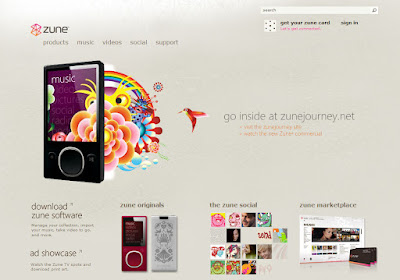 The very first step (obviously) is downloading the software… You can get it at
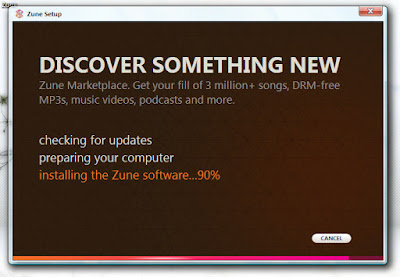 Installation… it’s the first time I’ve seen Microsoft not using a progress bar – just a increasing “%”
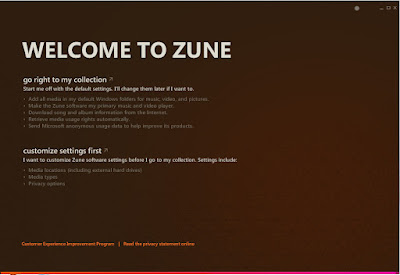 On the first run, Zune Software offers you to customize your settings. No… I don’t want the Zune Software to become my default media player – WMP11 is there for that. I also had to uncheck all media types to prevent Zune Software from taking them over…
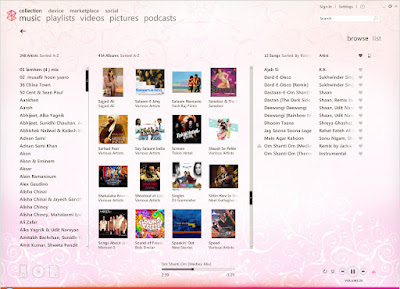 WoW! This is the most un-Microsoft-like app you’ll ever find! While the original Zune Software v1 was a rip-off of WMP11, v2 is a totally different approach. Zune Software is powered not by WPF (Windows Presentation Foundation), but by UIX (Microsoft Iris UI Framework), a new Framework Microsoft has developed for the Zune Software (thanks to
 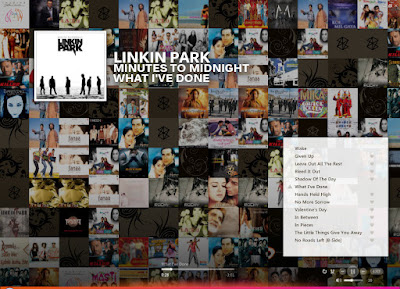 The Now Playing full-screen player… there isn’t any visualization on Zune Software, but this Album Art mashup makes you forget everything else… this is definitely one of the best features of Zune Software. & it’s well hidden – you have to click the equalizer icon next to the Play buttons (bottom right) to activate it.
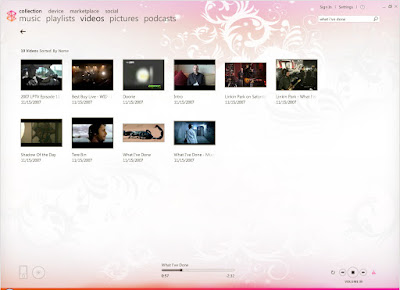 Zune Software also plays videos & the layout is also the same as WMP11 – video thumbnails.
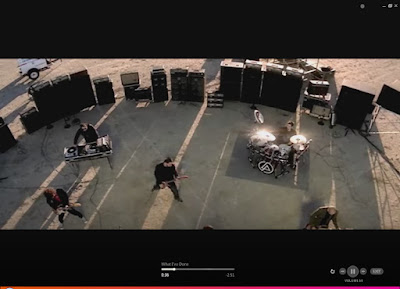 & it has an awesome full-screen video player!! (more minimalistic buttons!)
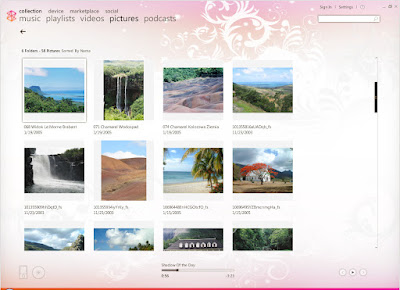 You also have a picture browser with Slideshow options. & you can now play songs while using the slideshow (this feature wasn’t available in v1).
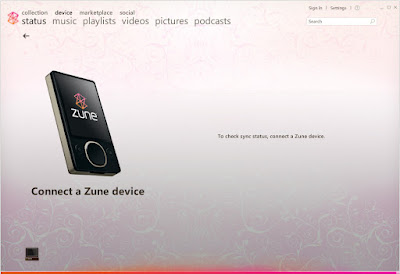 Unfortunately, that’s the only thing I don't have… :(
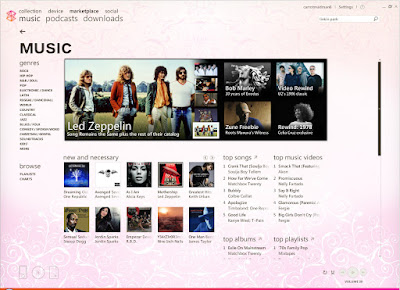 The Zune Marketplace unlike iTunes doesn’t force you to provide your credit card to be able to browse through songs… Just like any other media store, Zune Marketplace provides you with the different Charts, Genres and special offers.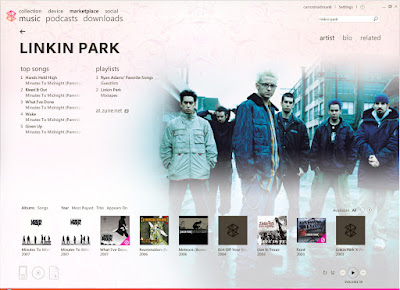
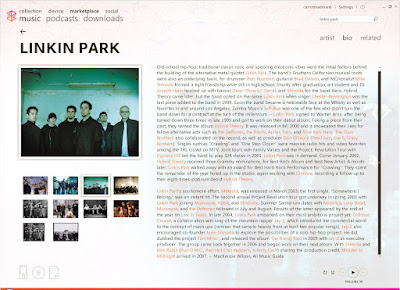 You can also search for your favourite Band & it provides additional background info.
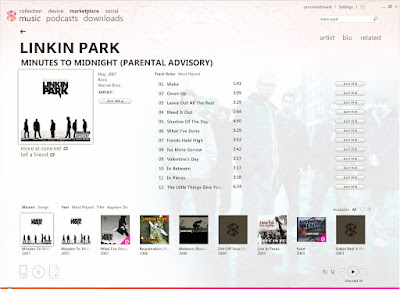 You can also preview tracks before considering buying them. (or downloading them elsewhere…)
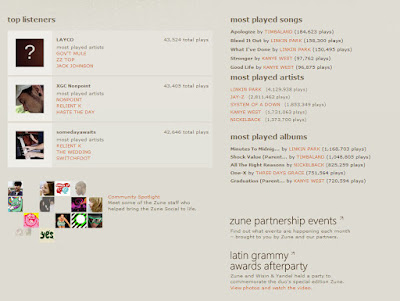 This isn’t from Marketplace, but from Zune’s Social website… nevertheless, it’s worth looking at the stats:
 Basically, it’s the same thing as a Wiki EXCEPT knol is paired with Google AdSense & is more author-centric…. Authors can show their pictures, log-in with their gmail account, etc.
  After the YouTube ads, this seems another major source of revenue for Google and AdSense users who love to write!(I’m starting to suspect that Google made this whole Knol thing just to cash in on AdSense…) However, I’m still intrigued about how multiple authors will be able to profit from a single article? Maybe their ads will be rotated…
 Google Knol seems to be far more “serious” than Wikipedia (like a normal encyclopaedia should be) since it’s more structured and professional looking. & I find the comments section really very interesting – it seems that Google is doing a 2-in-1, a Wiki & a blog?
 The rating system seems to be a more practical approach towards maintaining a required level of high quality content (low rated content will eventually be edited & so on…).
 I’m sure everyone knows those “Show More” that appears below your Google AdSense ads… which after you click on it, redirects you to a page full of ads that are… not really inviting to click!
 However, when I checked my blog today, I saw a very peculiar thing! Arrows under my Google AdSense ads! & when I clicked on the arrows, the ads scrolled! Google have been beta-testing new scrolling ads!
 This new scrolling ads seems so far the best improvement Google have made to those AdSense ads - users will have a greater choice of ads to click upon! (& it has a very nice fade-in/fade-out scroll effect!)